Requirements
The attributes Engera tracks on each requirement and how to populate the requirements register.
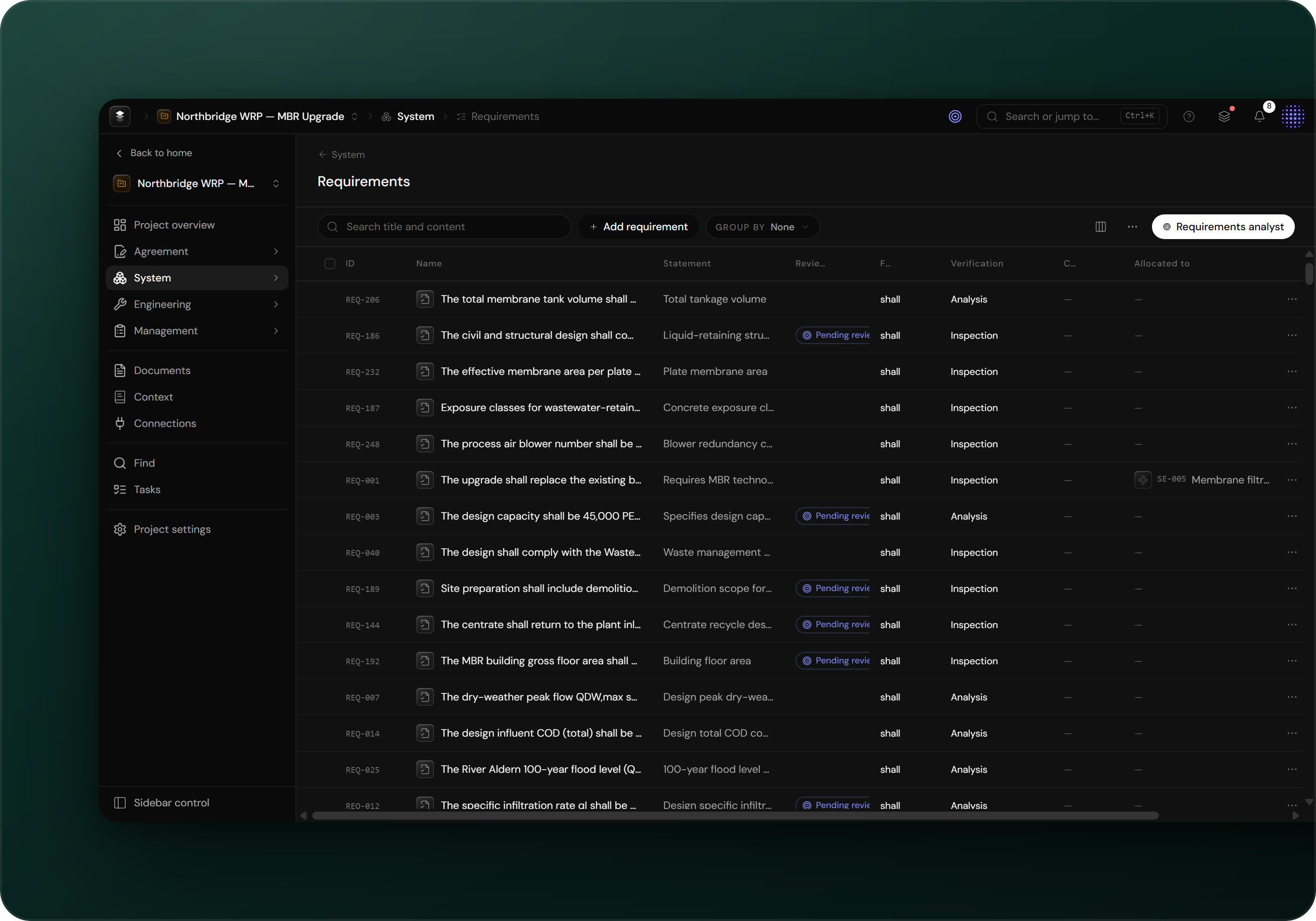
The requirements surface
The requirements surface holds every requirement in the project as an individual item. Each requirement carries the attributes described below and links to the clause it derives from.
Quality assessment
Engera's quality assessment checks each candidate requirement against the well-formedness criteria described below.
The attributes Engera tracks
- Statement: the requirement text, with its binding force made explicit. The modal verb is captured verbatim from the source.
- Verification method: one of inspection, analysis, demonstration or test.
- Allocation: the system element responsible for satisfying the requirement. Unallocated requirements are tracked as gaps on the project overview.
- Source: a link to the clause the requirement derives from.
- Review state: AI-derived requirements stay pending until accepted (see Reviewing AI suggestions).
Working with requirements
The surface lives under System → Requirements.
- Derive requirements from a document.
- Click Add requirement to create one by hand.
- Group, filter and edit requirements in the table.
- Allocate each requirement to a system element. Items and links are described in Concepts.
- Ask the requirements analyst to search the register, assess requirement quality or start a derivation.